Regular Maintenance of Printers: A Complete Guide
Introduction
Printers are essential devices used in homes, schools, and offices. Like any machine, printers require regular maintenance to function efficiently and last longer. Proper maintenance helps prevent common issues such as paper jams, poor print quality, and hardware failures. This blog explains the importance of regular printer maintenance and provides practical tips to keep your printer in excellent condition.
1. Why Regular Printer Maintenance is Important
Regular maintenance of printers offers several benefits:
- Improves print quality
- Extends printer lifespan
- Reduces repair costs
- Prevents unexpected breakdowns
- Enhances performance and efficiency
2. Basic Printer Maintenance Tasks
2.1 Cleaning the Printer
Dust and dirt can affect printer performance.
Steps:
- Turn off and unplug the printer.
- Use a soft, dry cloth to clean the exterior.
- Clean the paper tray and internal parts carefully.
- Avoid using water or harsh chemicals.
2.2 Cleaning Print Heads and Nozzles
Inkjet printers often suffer from clogged nozzles.
Steps:
- Use the printer’s built-in cleaning function.
- Print a test page to check results.
- Repeat cleaning if necessary.
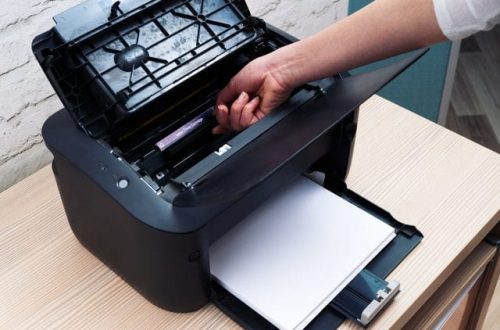
2.3 Replacing Ink Cartridges or Toner
Low ink or toner affects print quality.
Tips:
- Replace cartridges when ink is low.
- Use genuine or recommended cartridges.
- Store cartridges properly.
2.4 Checking and Replacing Paper
Using poor-quality paper can damage the printer.
Tips:
- Use the correct paper type and size.
- Keep paper dry and flat.
- Avoid overloading the paper tray.
3. Software and System Maintenance
3.1 Updating Printer Drivers
Outdated drivers can cause errors.
Steps:
- Check for driver updates regularly.
- Download updates from the manufacturer’s website.
3.2 Updating Printer Firmware
Firmware updates improve performance and fix bugs.
Steps:
- Visit the manufacturer’s website.
- Follow instructions to update firmware.
3.3 Managing Print Queue
Too many pending jobs can slow down the printer.
Tips:
- Clear unnecessary print jobs.
- Restart the print spooler if needed.
4. Preventive Maintenance Tips
- Turn off the printer properly after use.
- Avoid frequent power interruptions.
- Keep the printer in a clean, dry environment.
- Use a voltage stabilizer or UPS.
- Perform regular test prints.
5. Common Problems Caused by Poor Maintenance
- Frequent paper jams
- Blurred or faded prints
- Slow printing
- Hardware damage
- Increased maintenance costs
6. Maintenance Schedule for Printers
Daily
- Check paper and ink levels.
Weekly
- Clean exterior and paper tray.
Monthly
- Clean print heads and rollers.
- Check drivers and updates.
Yearly
- Professional servicing if required.
Conclusion
Regular maintenance of printers is essential for ensuring high performance, long life, and reliable printing. By following simple maintenance practices, users can avoid common printer problems and reduce repair costs. Proper care not only improves print quality but also enhances the overall efficiency of the printer.